\u25c6 AMIGA WORKBENCH THEME FOR MACOS \u25c6
Make your Mac look like an Amiga
The Amiga of 2008 on your Mac: the Workbench screen bar, drawers instead of folders, a RAM Disk and the AmiDock with its sub-docks.
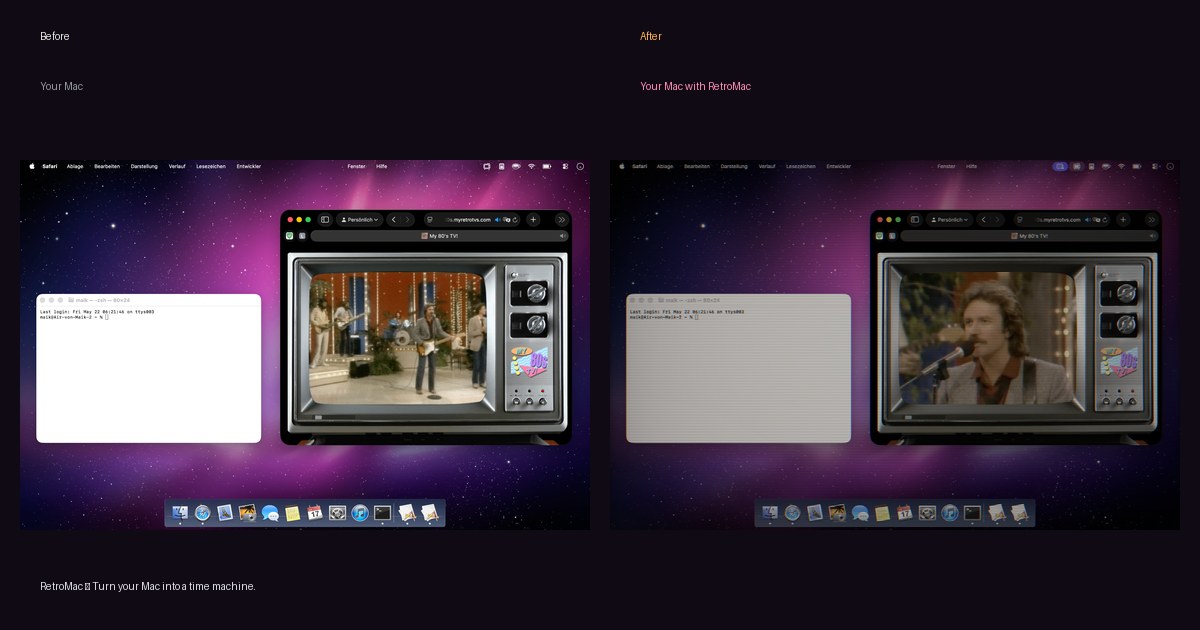
Before / after
Left: plain macOS. Right: the same desktop with the shader running on top. Nothing about your files, apps or settings changes - it is a layer, not a system modification.
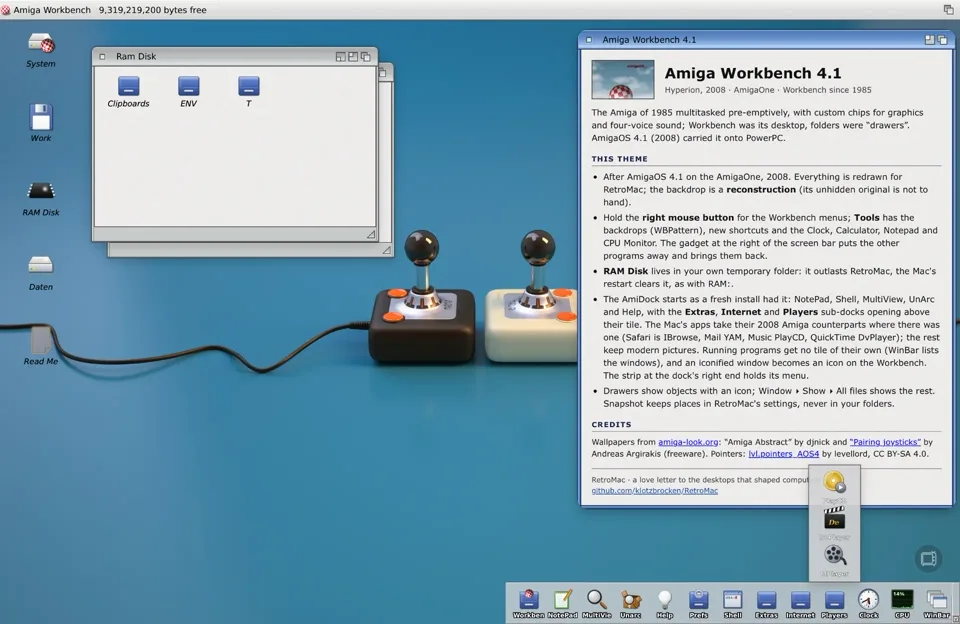
What you get
Workbench screen bar
The Amiga-style bar across the top of the screen.
Drawers and RAM Disk
Folders become drawers, the way Workbench named them.
AmiDock
The dock with its sub-docks, in Workbench style.
Right-click menus
Hold the right mouse button for the Workbench menus.
Is this safe?
Signed & notarized by Apple
The DMG is signed with a Developer ID and notarized, so macOS opens it without scary warnings.
Nothing is permanent
One click restores wallpaper, dock, menu bar and desktop icons. Quit the app and your Mac looks like before.
No account, no tracking
No sign-up, no telemetry, no phoning home. Everything runs locally on your Mac.
Native on Apple Silicon
Universal binary with GPU-accelerated Metal shaders. Eco modes throttle it on battery.
FAQ
- Is this an Amiga emulator?
- No. Your Mac apps keep running, RetroMac changes the look.
- Which version of RetroMac has it?
- Amiga Workbench 4.1 arrived in RetroMac 3.0.7.
- Can I switch back?
- Yes, one click restores macOS.
Try it in two minutes
Download the DMG, drag it to Applications, done. If you don't like it, quit the app - your Mac is exactly as it was.
Free · macOS 14 or newer · notarized by Apple