Getting the Most Out of Customizing: External Apps Worth Adding to Your Toolkit
Beyond system themes
Customizing your Aqua chrome, icons, and wallpaper is a great start, but a truly convincing retro (or alternate-universe) desktop often needs apps that carry the same aesthetic into your daily workflow: the file manager you live in, the music player you listen with, the image editor you build assets in. Here are six external apps we like, and the setups they fit best.
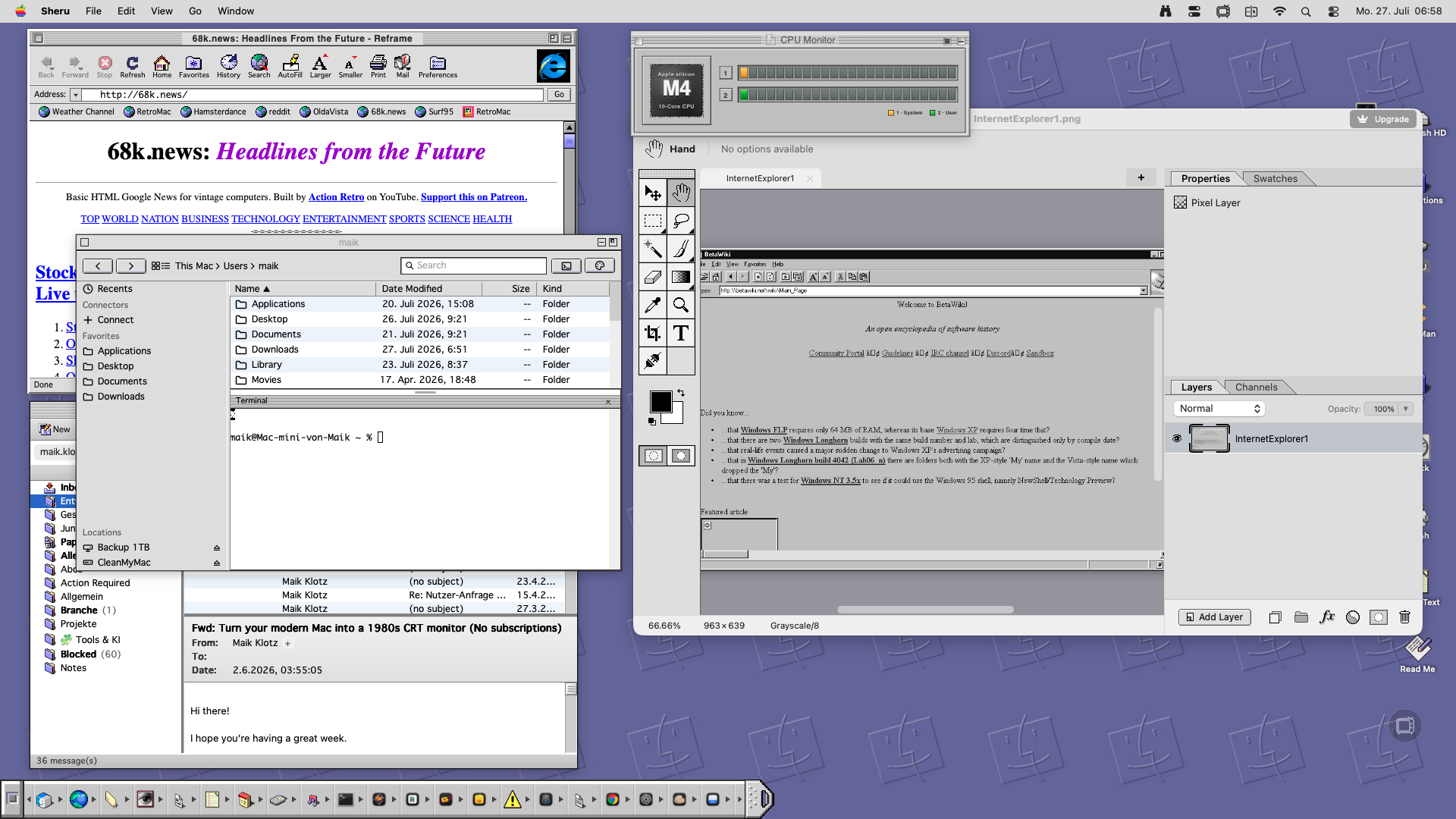
Sheru — a themeable file manager and terminal (macOS)
Sheru replaces Finder with a file browser built around a real embedded terminal (press Cmd+J for an actual zsh shell wherever you are). What makes it interesting for customizers is its theme engine: Aqua, Windows 98, XP, 7, and XFCE all ship built in, with fully custom themes possible on top. It's a great pick if you want your file browsing to visually match a Windows-era desktop you've built on your Mac, or if you just want a faster, more scriptable alternative to Finder underneath any theme.
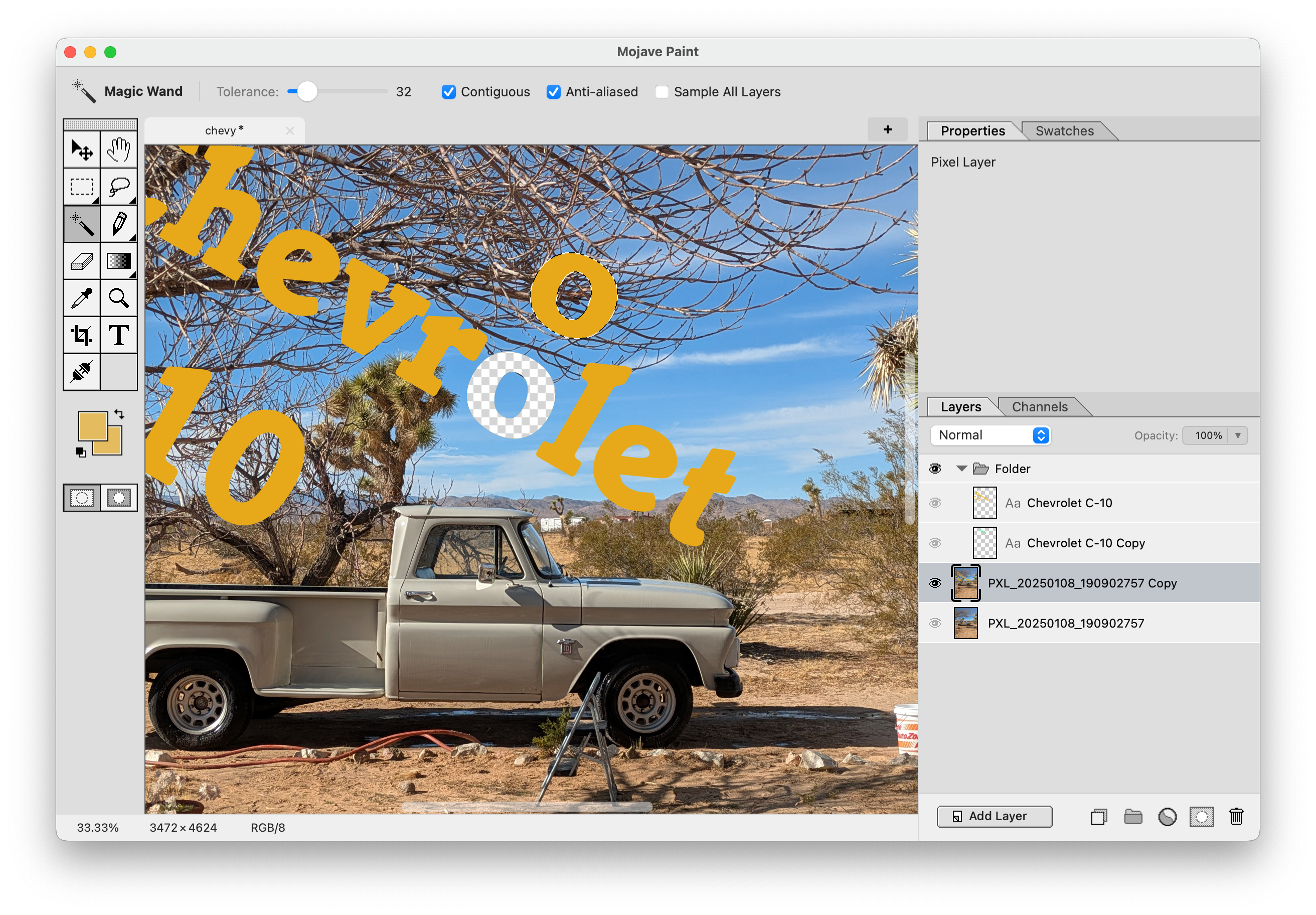
Mojave Paint — a retro-styled image editor (macOS, Apple Silicon)
If your customizing involves making your own icons, wallpapers, or UI textures, Mojave Paint is a Photoshop-style editor with a distinctly '90s interface of its own: layers, blend modes, adjustment layers, plus a paintbrush and gradient tool. It's deliberately free of AI generation, focusing on deterministic edits instead. Handy for anyone building custom icon sets or textures for a System 6/9 or classic Mac OS theme.
Classic Mac Finder — a pixel-perfect System 9 Finder (macOS)
This open-source project recreates the classic Mac OS Finder as a native Cocoa app, right down to the pixel. Running on modern Macs (10.11+), it's about as close as you can get to actually booting into System 9 without emulation, and it pairs naturally with a full System 6/9 icon and window theme.
QuickTune — a QuickTime 7-styled Apple Music controller (macOS)
QuickTune is a small "now playing" controller for Apple Music dressed up in QuickTime 7's brushed metal, glassy buttons, and LCD display, with an optional Mac OS X Leopard look available too. It's a nice finishing touch for a Panther, Tiger, or Leopard-era desktop where you want your music controls to actually look like they belong on that system.
Marta — an extensible file manager with classic themes (macOS)
Marta is a native, keyboard-driven file manager with five built-in themes, including a nostalgic white-on-blue look, plus a Lua plugin API for further customization. It suits users who want the speed and extensibility of a modern file manager, but with an interface that leans into an older, simpler aesthetic rather than today's flat design trends.
Reamp — a Winamp-style music player (macOS)
Reamp brings the classic Winamp workflow, skins included, to macOS: windowshade mode, a ten-band equalizer, a spectrum analyzer, and a media library, all wrapped in the same skinnable interface Winamp made famous. If your theme is a late-90s or 2000s Windows desktop, dropping a real Winamp skin onto your Mac's music player pulls the whole look together.
Wrap-up
None of these apps require modifying system files or fighting Gatekeeper — they simply sit alongside your existing customizing work and pick up the slack: a terminal-and-file-browser combo, an image editor for making your own assets, and two music players that each lean into a specific decade rather than macOS's current design language. Mix and match based on the era you're building toward.