Snow Leopard: How to bring back the iconic design
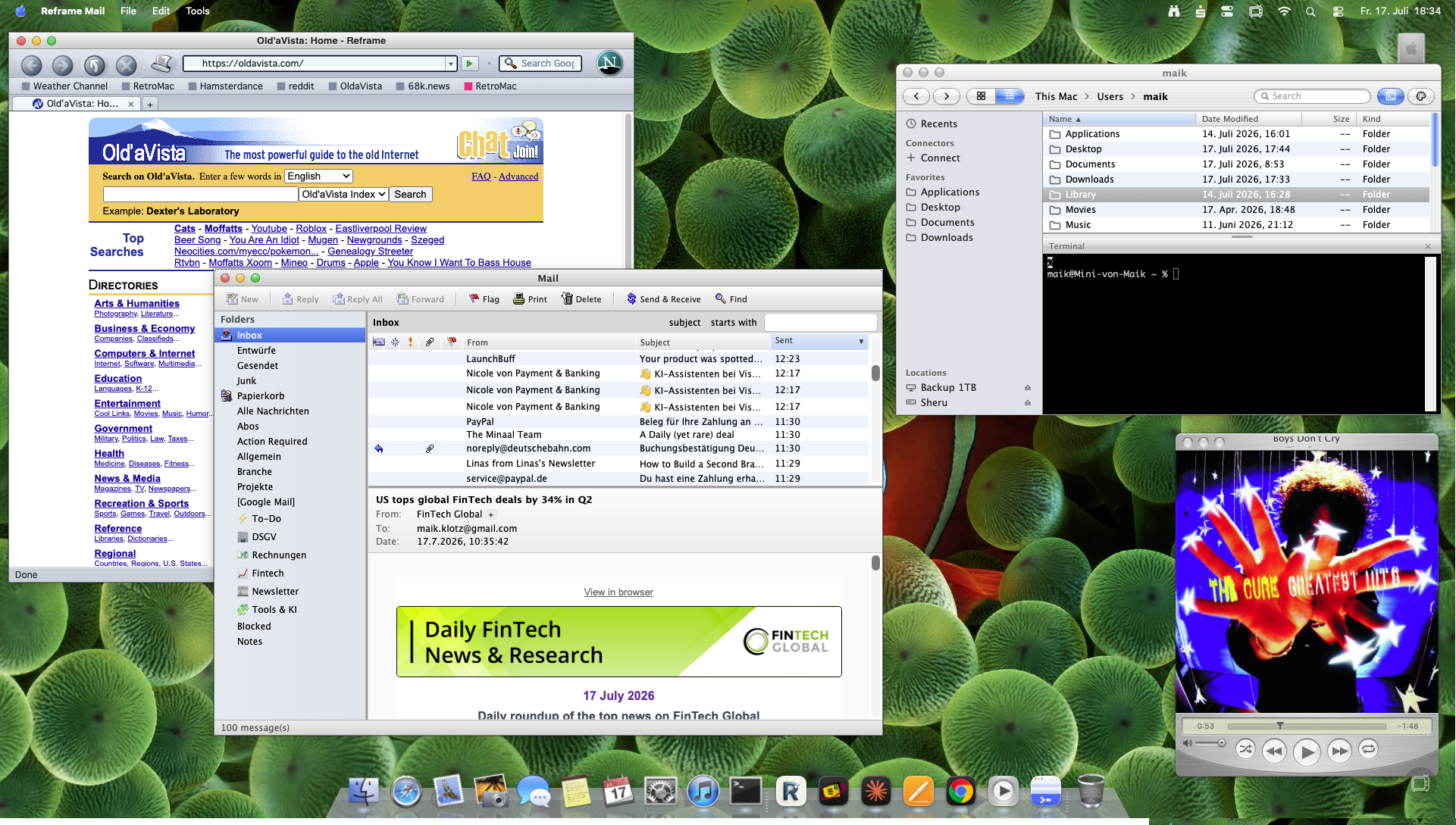
The Building Blocks
| Tool | What it does |
|---|---|
| RetroMac | Desktop, dock, icons, wallpaper, Aqua chrome |
| Snow Leopard Theme | The 10.6 look – brushed metal, glossy blue, glass traffic lights |
Step 1: RetroMac – Snow Leopard Theme
Download RetroMac, drop it in Applications, launch it. Grant the permissions it asks for on first run (Accessibility and Screen Recording) – the Health Check turns green once everything is set.
Open the Theme Picker and select Snow Leopard. This brings back the dark brushed-metal menu bar, the glassy dock, glossy blue window chrome and the classic Aqua scrollbars – the look Apple kept until Lion flattened everything.
Pick a Matching Wallpaper
Right-click the desktop and pick a wallpaper from the context menu. RetroMac ships the Snow Leopard-era wallpapers – keep it period-correct, since a flat, modern wallpaper under Aqua chrome breaks the look immediately.
Step 2 (Optional): Dial in Icon Size
Theme Settings → Advanced lets you adjust icon size if the defaults look too small or too large on a high-res display.
The 3rd-Party Apps That Complete It
RetroMac gets you the desktop, dock and wallpaper. For a full Snow Leopard environment, pair it with a few 3rd-party apps that bring the same Aqua treatment to the rest of the system:
- Sheru – a Finder replacement built entirely around the Aqua look.
- Reframe Browser – themed as Netscape running in Aqua, modern engine underneath.
- Reframe Mail – the mail counterpart, styled after Outlook Express in Aqua.
- QuickTune – a music player styled after the era, for matching menu bar controls.
Together, these cover the whole desktop – not just the wallpaper and dock, but the browser, mail and finder you actually use all day.
Getting Back
RetroMac restores the dock, menu bar, icons and wallpaper in seconds via Restore. The 3rd-party apps are separate – quit or uninstall them and nothing else changes.
FAQ
Where do I change the wallpaper? Right-click the desktop – the context menu offers wallpapers matching your active theme.
Is it reversible? Fully. RetroMac has Restore functions for the desktop and dock; the 3rd-party apps you just uninstall.
Where are icon size & co.? Theme Settings → Advanced.
Written by Maik I build RetroMac & Reframe. Say hi →