◆ MAC OS 9 THEME FOR MACOS ◆
Mac OS 9 Platinum, on a 2026 Mac
The Platinum grey, the striped title bars, the Happy Mac boot screen: RetroMac restyles modern macOS into the Mac OS 9 you remember, while every current app keeps running as usual.
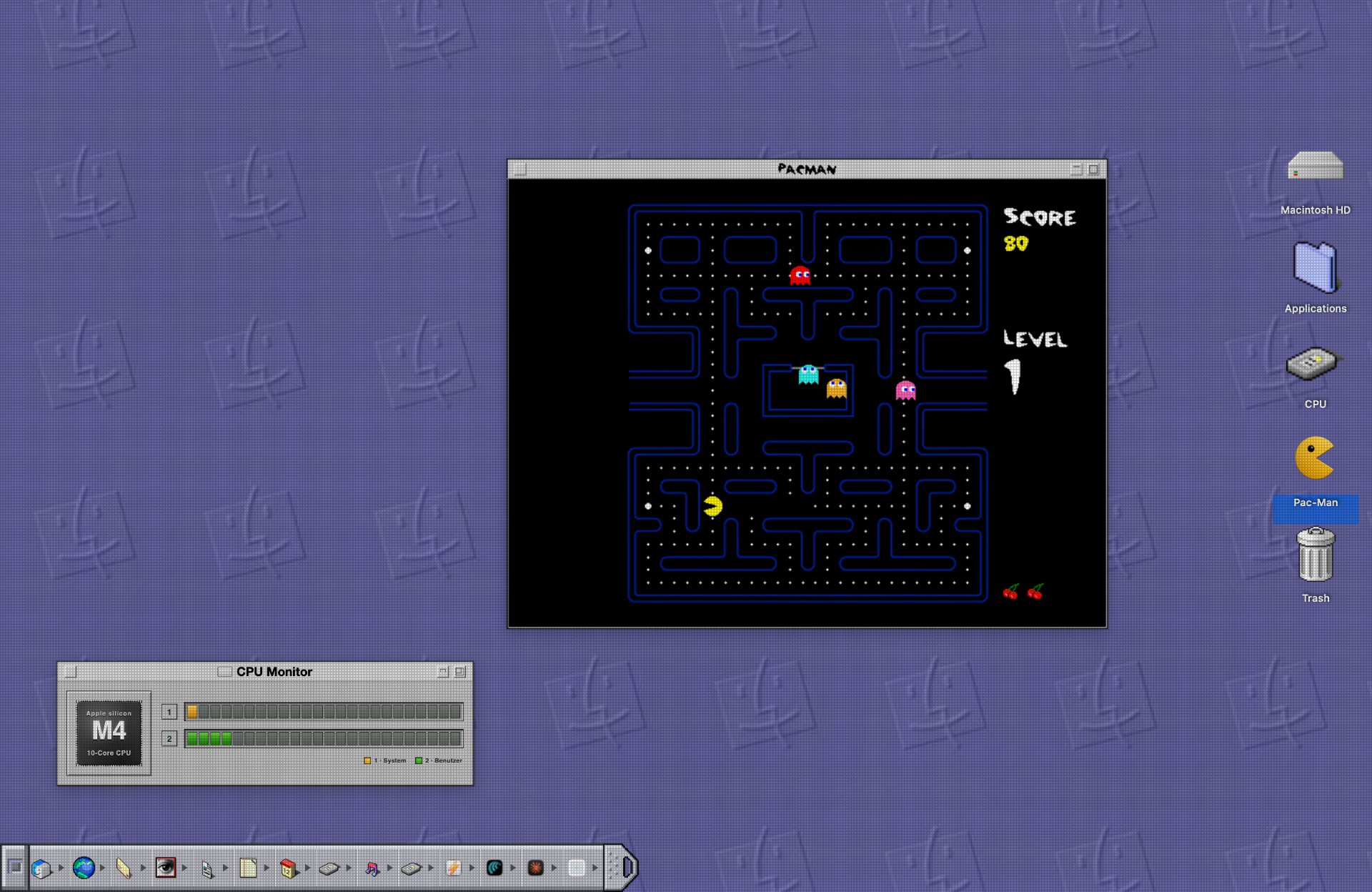
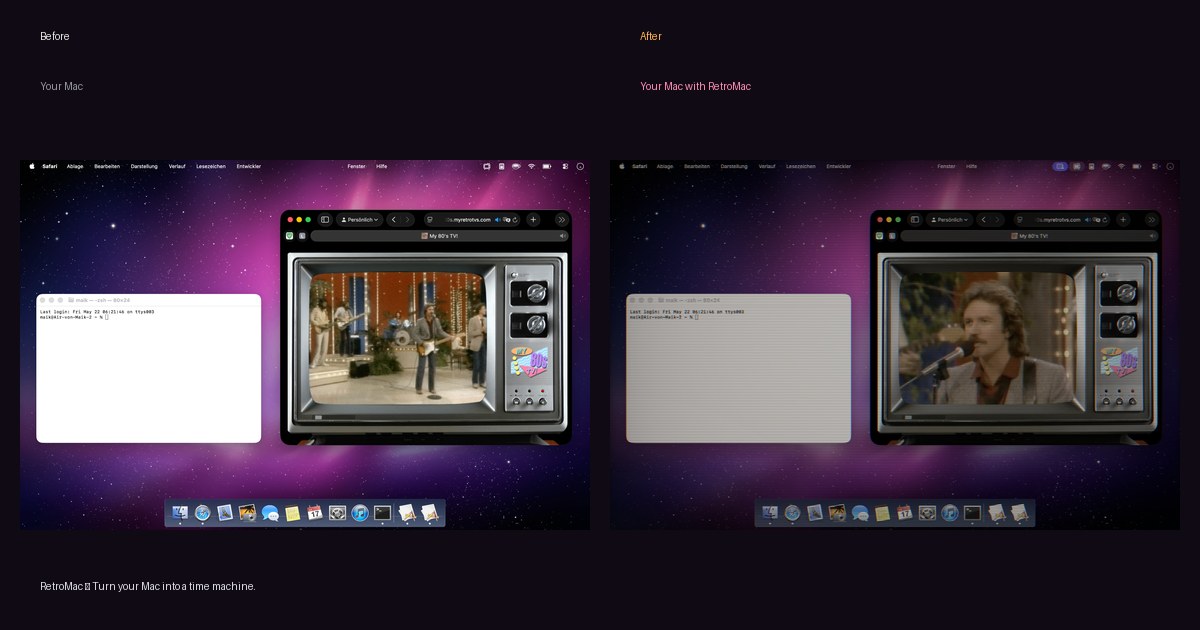
Before / after
Left: plain macOS. Right: the same desktop with the shader running on top. Nothing about your files, apps or settings changes - it is a layer, not a system modification.
What you get
Platinum everywhere
Wallpaper, icons, boot screen, screensaver and menu bar styling switch together in a single click.
Classic docks included
Mac OS Classic, Mac OS 6 monochrome, a reinvented OS 6 dock and animated favourites.
Optional CRT layer
Pair the theme with a Trinitron or NTSC shader so the whole thing looks like a real 1999 CRT.
Modular by design
Only want the dock or the wallpaper? Every part can be switched on and off on its own.
Is this safe?
Signed & notarized by Apple
The DMG is signed with a Developer ID and notarized, so macOS opens it without scary warnings.
Nothing is permanent
One click restores wallpaper, dock, menu bar and desktop icons. Quit the app and your Mac looks like before.
No account, no tracking
No sign-up, no telemetry, no phoning home. Everything runs locally on your Mac.
Native on Apple Silicon
Universal binary with GPU-accelerated Metal shaders. Eco modes throttle it on battery.
FAQ
- Is this an emulator?
- No. Nothing is emulated - RetroMac restyles your real macOS desktop, so all your modern apps keep working normally.
- Can I keep my modern workflow?
- Yes. It is a visual layer. Shortcuts, Spotlight, Mission Control and every app behave exactly as before.
- Does it include the classic dock?
- Yes, several Mac OS Classic docks are included, including monochrome Mac OS 6 variants and an animated favourite.
- How do I undo it?
- One click restores wallpaper, dock, menu bar and desktop icons; quitting RetroMac removes the look entirely.
- Does it work on Apple Silicon?
- Yes - universal binary, native on M1 to M4 and Intel, macOS 14 or newer.
Try it in two minutes
Download the DMG, drag it to Applications, done. If you don't like it, quit the app - your Mac is exactly as it was.
Free · macOS 14 or newer · notarized by Apple