◆ WINDOWS 98 THEME FOR MACOS ◆
Make your Mac look like Windows 98
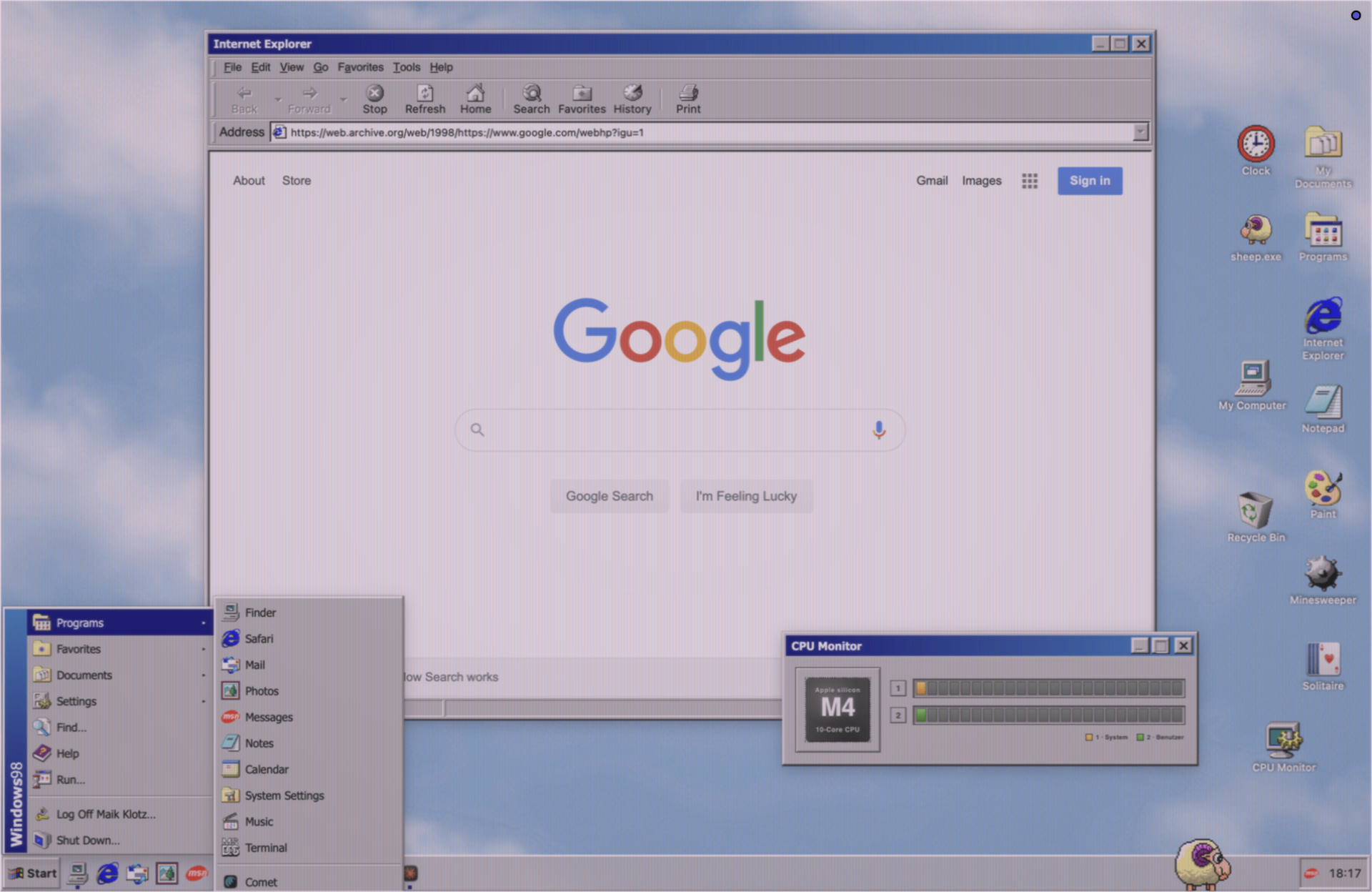
Grey bevels, a real taskbar, the teal wallpaper and a boot screen: RetroMac turns macOS into a late-90s PC without touching a single system file. Add a CRT shader and the illusion is complete.
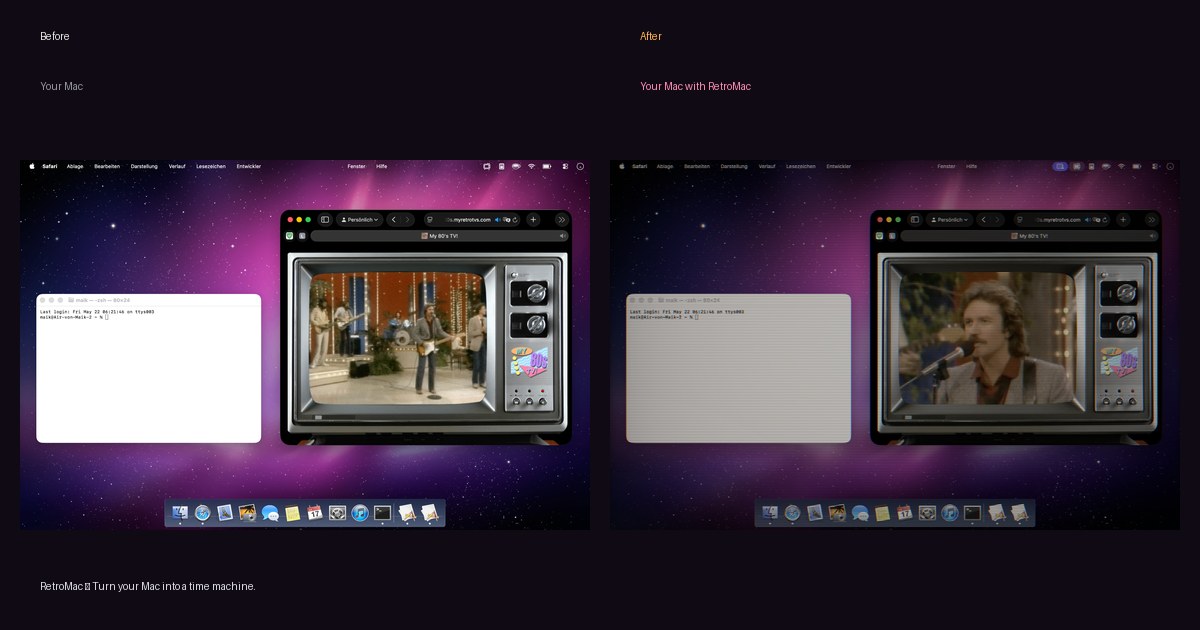
Before / after
Left: plain macOS. Right: the same desktop with the shader running on top. Nothing about your files, apps or settings changes - it is a layer, not a system modification.
What you get
Full desktop takeover
Wallpaper, dock as taskbar, window chrome, icons, boot screen and screensaver switch together in one click.
Working taskbar buttons
Each open window gets its own elongated button - click to minimize or restore, exactly like 1998.
Period-correct sounds
Optional startup chime, dial-up modem sounds and UI clicks for the full nostalgia hit.
Stack it with a shader
Add a CRT or VHS shader on top so the fake 98 desktop also looks like it lives on a real tube monitor.
Is this safe?
Signed & notarized by Apple
The DMG is signed with a Developer ID and notarized, so macOS opens it without scary warnings.
Nothing is permanent
One click restores wallpaper, dock, menu bar and desktop icons. Quit the app and your Mac looks like before.
No account, no tracking
No sign-up, no telemetry, no phoning home. Everything runs locally on your Mac.
Native on Apple Silicon
Universal binary with GPU-accelerated Metal shaders. Eco modes throttle it on battery.
FAQ
- Does it change macOS system files?
- No. RetroMac draws the Windows 98 look on top of macOS. Your files, apps and system settings stay untouched.
- Can I go back to normal macOS?
- Yes - one click restores wallpaper, dock, menu bar and desktop icons, and quitting the app removes everything.
- Is there a real taskbar?
- Yes. The Windows 98 and XP themes show one elongated taskbar button per open window; click to minimize or restore, just like the original.
- Can I use the theme without the CRT shader?
- Sure. RetroMac is modular - use only the theme, only the dock, or only the shader.
- Which other classic themes are included?
- Windows 3.11, 95, 98, ME and XP, Mac OS 6, 9, Aqua, Snow Leopard, BeOS, NeXTSTEP and more.
Try it in two minutes
Download the DMG, drag it to Applications, done. If you don't like it, quit the app - your Mac is exactly as it was.
Free · macOS 14 or newer · notarized by Apple