\u25c6 WINDOWS XP THEME FOR MACOS \u25c6
Make your Mac look like Windows XP
Blue Luna title bars, the green Start button and that rolling green hill: RetroMac puts the 2001 Windows XP desktop on top of macOS without touching a system file.
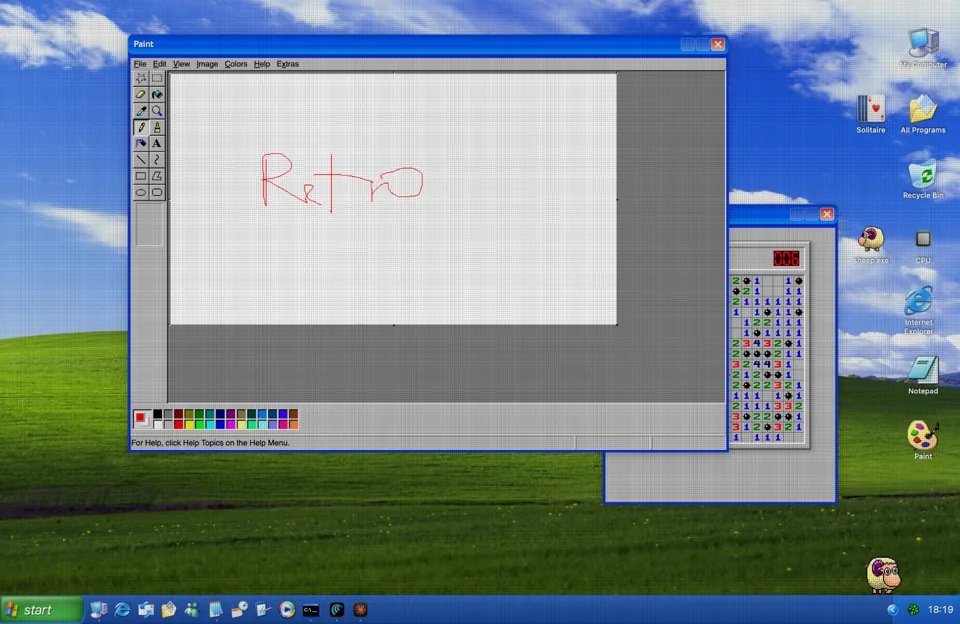
Before / after
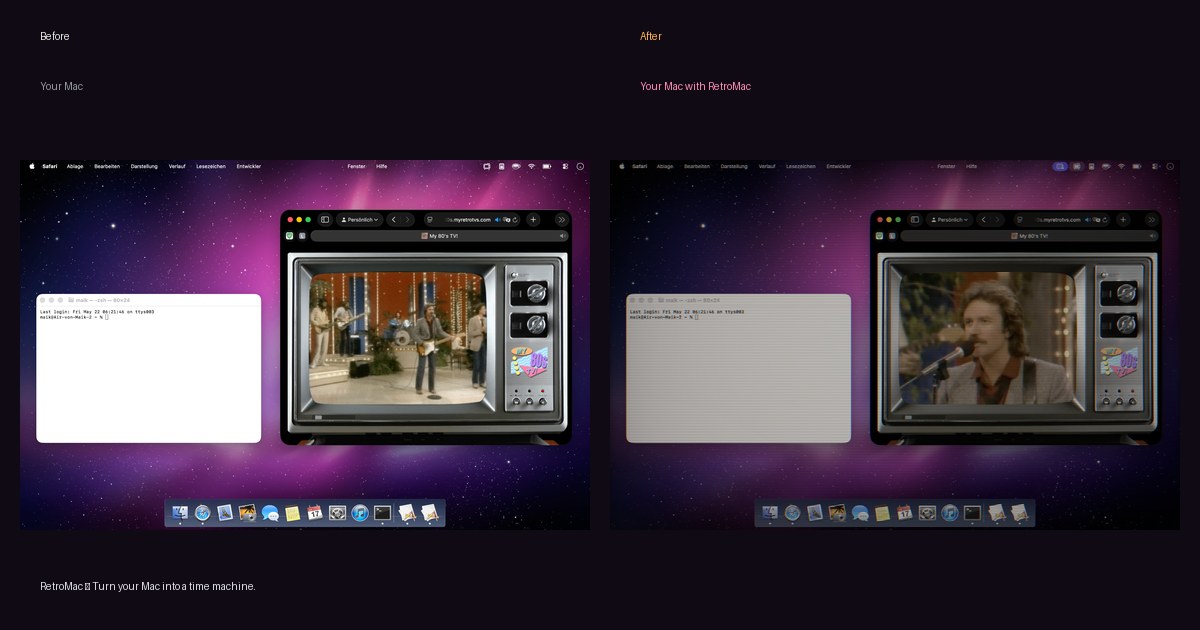
Left: plain macOS. Right: the same desktop with the shader running on top. Nothing about your files, apps or settings changes - it is a layer, not a system modification.
What you get
Luna, top to bottom
Taskbar, Start menu look, window chrome, icons and wallpaper switch together.
A working Task Manager
Press Ctrl+Option+Delete and XP's Task Manager opens, with live meters from your Mac.
BIOS and boot screen
The Windows themes start with a PC-style POST screen you can actually enter.
Add a CRT on top
Stack a CRT or LCD shader so XP looks like it runs on a 2001 monitor.
Is this safe?
Signed & notarized by Apple
The DMG is signed with a Developer ID and notarized, so macOS opens it without scary warnings.
Nothing is permanent
One click restores wallpaper, dock, menu bar and desktop icons. Quit the app and your Mac looks like before.
No account, no tracking
No sign-up, no telemetry, no phoning home. Everything runs locally on your Mac.
Native on Apple Silicon
Universal binary with GPU-accelerated Metal shaders. Eco modes throttle it on battery.
FAQ
- Does it change macOS system files?
- No. RetroMac draws the Windows XP look on top of macOS. Your files and settings stay untouched.
- Can I go back to normal macOS?
- Yes. One click restores wallpaper, dock, menu bar and icons.
- Does it run Windows apps?
- No. It is a look, not an emulator. Your Mac apps keep running as usual.
Try it in two minutes
Download the DMG, drag it to Applications, done. If you don't like it, quit the app - your Mac is exactly as it was.
Free · macOS 14 or newer · notarized by Apple